Updated:
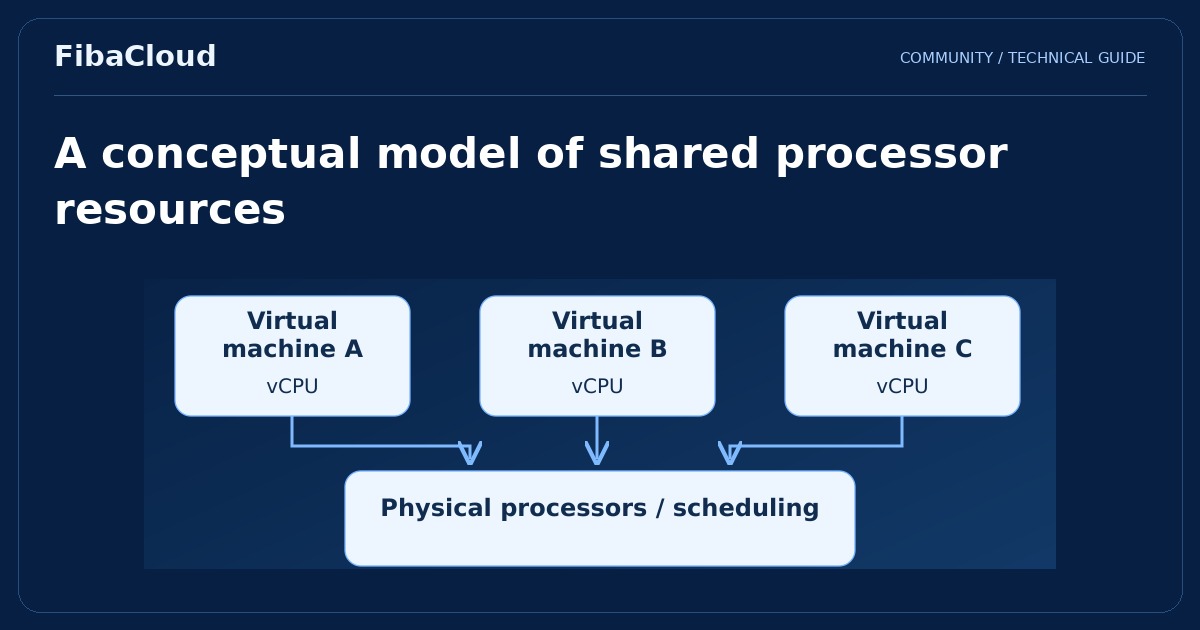
A shared CPU cloud server uses physical processor infrastructure shared under the provider’s scheduling and resource policies. It can be suitable for applications without a continuously high processor requirement. Suitability depends on workload behavior and documented service limits, not just the number of virtual processors shown on a plan.
Enlarge illustration →
What a vCPU count means
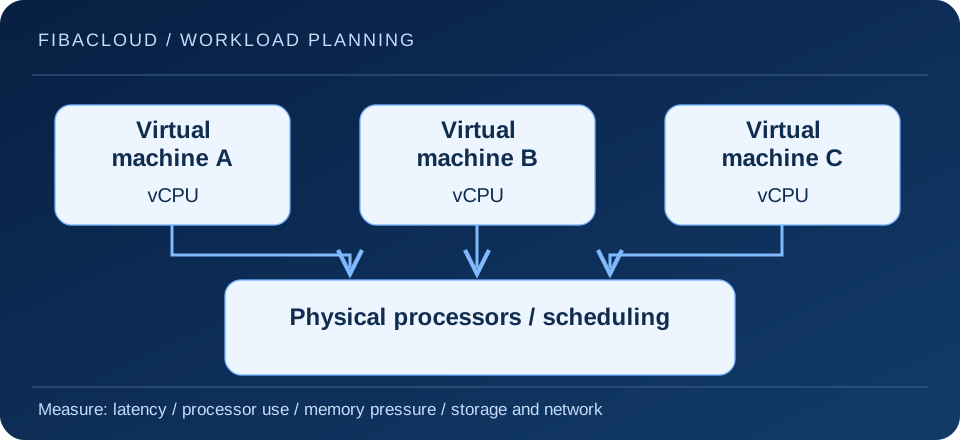
A vCPU is a virtual processor unit visible to the guest operating system. Its relationship to physical processors depends on the platform and allocation policy. A plan’s vCPU count does not automatically mean that each unit is a physical core continuously reserved for one customer. Memory, storage and network limits also belong in the evaluation.
Sharing ratios, usage limits and any sustained-use policies vary by service. A general shared CPU label does not establish identical behavior across providers. Read the technical scope and clarify any important operational requirement before choosing a plan.
Match the workload pattern
Lower-traffic web applications, development environments, small internal tools and intermittent jobs can be reasonable starting candidates. The relevant property is processor demand, not the application’s name. Even a small application can create sustained pressure through inefficient queries or a sudden concentration of requests.
Compilation, media processing, large data transformations and continuous compute-heavy jobs may justify considering dedicated CPU resources. This still needs measurement. If the application is actually waiting on storage or lacks memory, changing the processor allocation model alone may not solve the problem.
Measure the user experience
A daily processor-use average can hide short but important periods of poor service. Track response times, queue length, errors and busy-hour behavior. Examine memory pressure, storage waits and network constraints alongside processor use. Where the platform exposes them, Linux pressure information and virtualization-related wait metrics can help explain contention.
Use a test that resembles the real application. A brief synthetic benchmark on an otherwise empty machine may not represent a service using a database and cache. Reproduce the relevant dataset size, concurrency and critical user actions. Compare results with application acceptance targets rather than reducing the decision to a single speed score.
Choose the right scaling action
Identify the bottleneck first. Reducing unnecessary queries, improving caching or separating background work may change the resource requirement. Then evaluate a larger plan, another processor allocation model or horizontal scaling. Each option has different consequences for architecture, cost and operating complexity.
A plan change can involve a restart, migration or storage work. Verify the actual conditions and prepare a recovery path before making the change. Do not assume every platform supports interruption-free resizing or easy disk shrinking. Include the operational cost of the change in the comparison.
Keep service scope separate from resource type
Sharing physical processor infrastructure does not mean customers share an operating system account. The platform establishes virtualization boundaries. Nevertheless, guest operating system updates, application access controls and backups may remain the customer’s responsibility, depending on the service. Processor allocation and managed-service coverage answer different questions.
During initial deployment, protect administration access, expose only necessary services and establish monitoring. Revisit capacity and recovery procedures as the application changes. An economical starting point is useful when it continues to meet the workload’s measured requirements, including during important busy periods.
Document the signals that would trigger a reassessment: sustained response-time degradation, persistent resource pressure or a changed business requirement. This makes the next upgrade a deliberate decision instead of an emergency reaction to one isolated spike.
Frequently asked questions
- Is shared CPU always slow?
-
No. Results depend on the workload and platform conditions. Evaluate actual application response times and resource behavior.
- Does high processor use always require a dedicated CPU plan?
-
First identify the cause. Sustained compute demand can support that choice, while memory or storage problems may require a different action.
Your next step
Compare the technical scope of Shared CPU and Dedicated CPU plans. Base the decision on your application’s measurements rather than a label or an unsupported speed claim.