Updated:
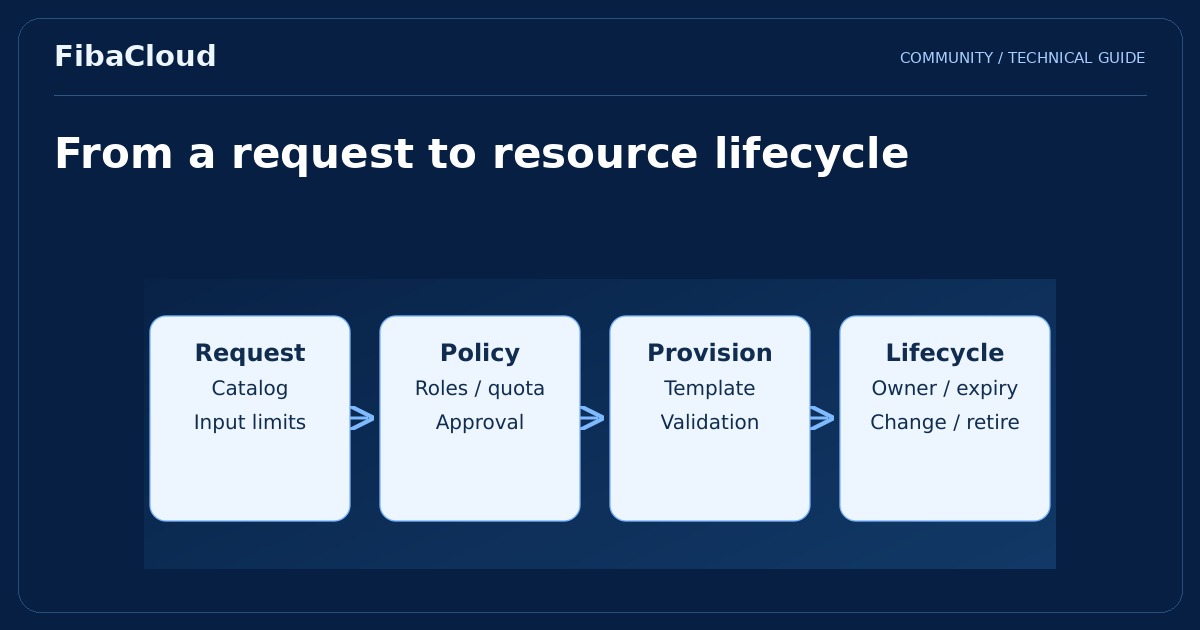
vRealize Automation is a historical product-family name associated with provisioning infrastructure and application resources through defined requests and policies. The purpose of automation extends beyond starting servers quickly. It makes repeatable requests follow consistent permissions, rules and lifecycle responsibilities.
Enlarge illustration →
Combine self-service with control
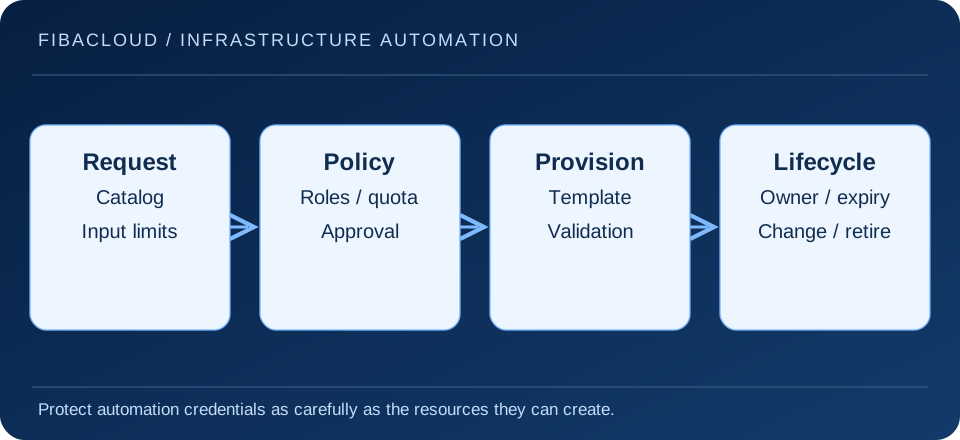
When teams repeatedly create similar environments, a standard request can turn operating system, network, size and labels into controlled inputs. Users request a suitable resource without deciding every infrastructure detail. Operators define the conditions that make the result supportable.
Self-service does not mean unrestricted access. Project boundaries, roles, quotas and approvals should reflect the business need. A development environment and a resource connected to production data may require different rules. The objective is to remove unnecessary work while retaining controls that matter.
Match documentation to the installed product
The vRealize name remains common in older documentation and installations. Product families, bundles and interfaces from different periods should not be assumed identical. Identify the installed release and use matching Broadcom documentation for supported endpoints, integrations and upgrade paths. This conceptual guide does not establish current licensing or compatibility with every cloud platform.
A listed integration does not prove that networking, credentials and permissions are ready. Limit the automation identity to the resources it must manage. Consider expired secrets, locked accounts and failed connections as operating scenarios, with monitoring and a clear owner.
Manage templates as maintained products
A template needs a version, owner and acceptance criteria. Images, package repositories and networking assumptions change over time. Version control and review help prevent one incorrect change from spreading across many resources. Test a revised template in a separate environment before offering it through a production catalog.
Constrain inputs deliberately. Unbounded disk sizes, arbitrary network selection or plain-text secret fields can create unexpected results. Use an appropriate secret-management mechanism instead of embedding sensitive values. Check that outputs and error logs do not disclose those values either.
Design partial failure and repeat execution
A request can stop halfway through. A server may exist while DNS registration or application setup remains incomplete. Keep enough state to identify what was actually created. Repeating a task should not accidentally produce duplicate resources or modify an unrelated production system.
Not every step can be reversed safely. Define the authority and impact of deletion or disconnection before automating it. Cleanup must respect data retention and application dependencies. Closing a failed request is not equivalent to deleting every related object.
Continue through the resource lifecycle
- Assign a business owner, project and environment to each resource.
- Give temporary environments an expiry and renewal route.
- Track change requests and review manual configuration drift.
- Check data retention and dependencies before retirement.
- Measure failures, unowned resources and operating effort as well as provisioning time.
Automation does not automatically reduce cost. Making resources easier to create can increase consumption. Ownership, quotas and periodic review connect delivery speed with resource discipline.
Start with one request whose complete lifecycle is understood. Exercise successful creation, an invalid input, a partial failure, an authorized change and retirement. This reveals whether the workflow is dependable before it is expanded to more sensitive applications or larger resource groups.
Frequently asked questions
- Does automation remove every approval?
-
No. Standard low-risk requests can follow different rules from production or sensitive-data changes. Approval boundaries should follow business requirements.
- Is a template reliable after one successful run?
-
One success is insufficient. Review input limits, failure handling, repeat execution, version changes and retirement behavior.
Your next step
Use operations analytics to observe resource outcomes and the cloud security guide to limit automation identities. Validate one standard request from creation through retirement first.