Table of Contents
Introduction
Hello tech enthusiasts! Connecting securely to a remote server is like having a superpower in the digital world. This superpower is called SSH (Secure Shell). In this comprehensive guide, we will dive deep into what SSH is, how it works, and why it is so important. You will learn how to use SSH with FibaCloud’s reliable cloud infrastructure and enjoy secure access to your remote servers.
If you’re ready, let’s open the doors to the world of SSH!
What is SSH and Why Use It?
SSH is a network protocol that allows you to securely connect to a remote server. In short, it creates an encrypted tunnel between your computer and the server, protecting the confidentiality and integrity of your data. This way, the risk of your sensitive information being intercepted by others is eliminated.
So, why should we use SSH? Here are a few important reasons:
- Secure Access: SSH encrypts your data, allowing you to access the server securely.
- Remote Management: With SSH, you can manage your server from anywhere in the world. You can perform operating system updates, transfer files, and many other tasks remotely via the command line interface (CLI).
- Port Forwarding: SSH allows you to access services behind firewalls by forwarding a port on your local computer to a port on the remote server.
How Does SSH Work?
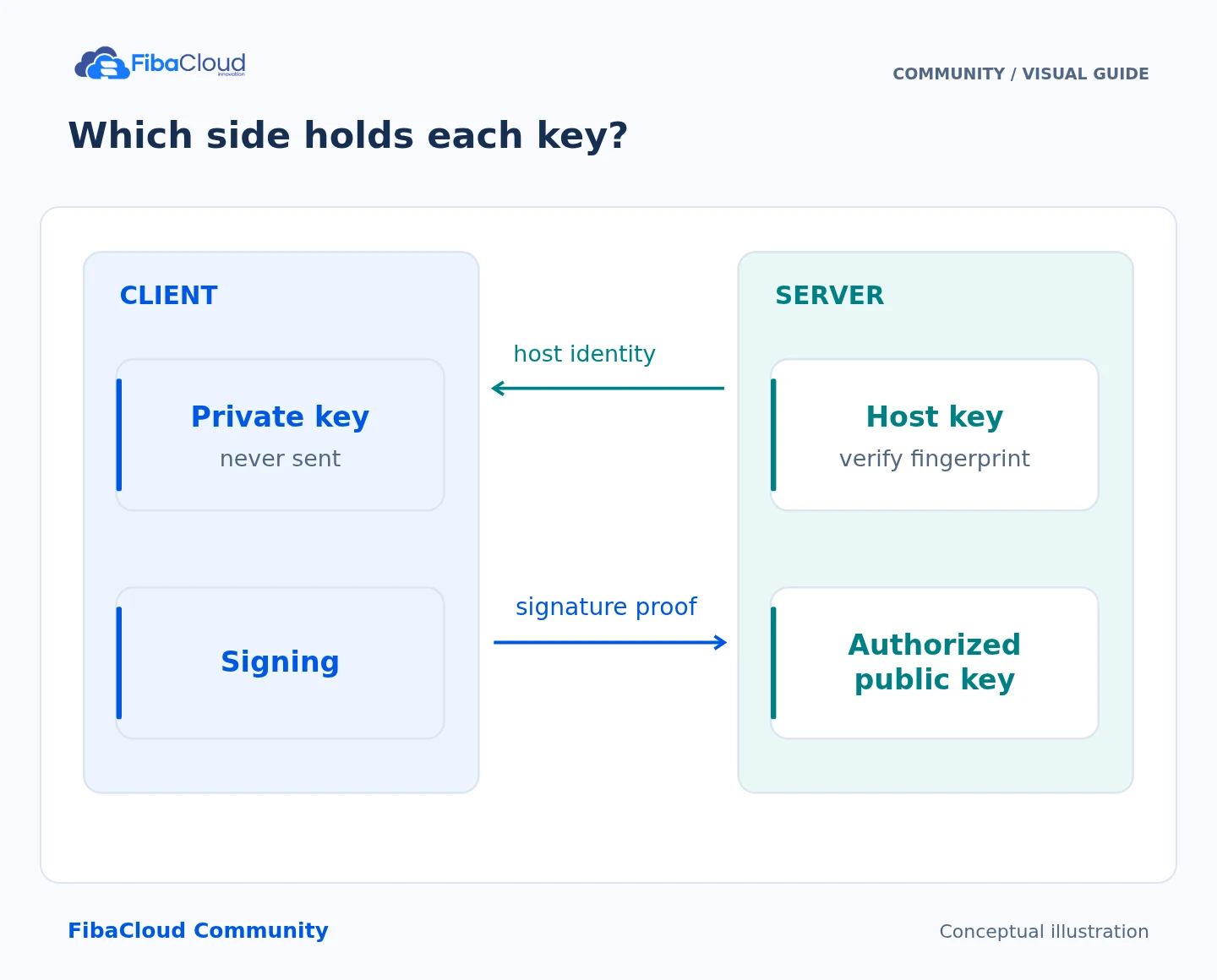
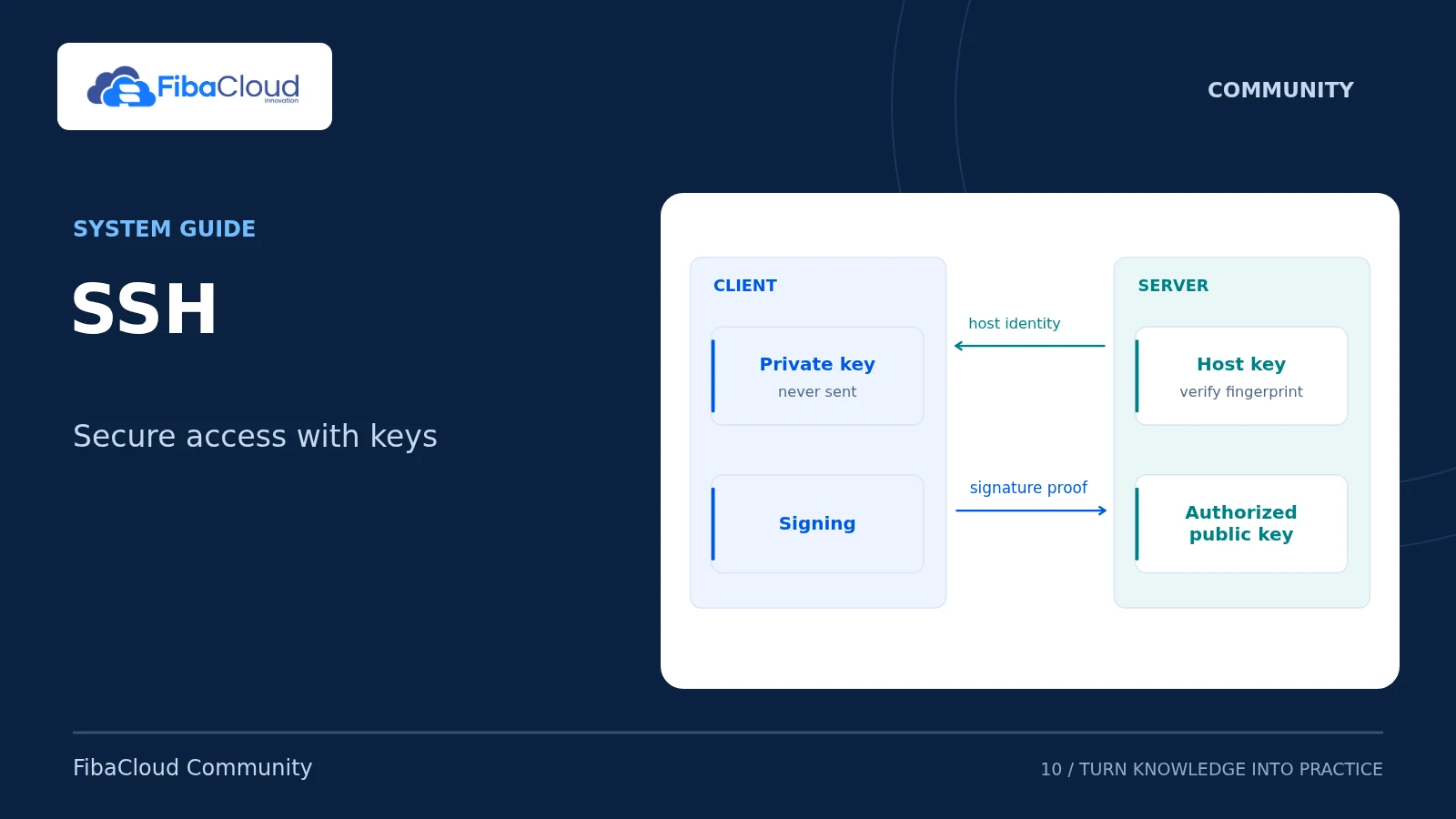
SSH uses the client-server model. That is, your computer running the SSH client connects to the remote server running the SSH server. Once the connection is established, your data is encrypted during transmission. This encryption is done using a pair of keys called public key and private key. The public key is loaded onto the server, while the private key is kept on the client (your computer).
How to Connect via SSH with FibaCloud?
FibaCloud has an interface that makes establishing an SSH connection extremely easy. Here is a step-by-step guide to setting up an SSH connection:
- Log into FibaCloud Panel: Log in to your FibaCloud account and select the server you want to connect to via SSH.
- Get SSH Information: Note down your server’s IP address, username, and password.
- Open SSH Client: Use an SSH client such as PuTTY (for Windows) or Terminal (for Mac/Linux) to establish the connection.
- Enter Information: Enter your server’s IP address, username, and port number into the SSH client.
- Establish Connection: Press “Connect” or “Enter” to start the connection.
- Authentication: The server will ask for your password or SSH key. If you are using an SSH key, you will need to select your private key.
What Can You Do with SSH?
The possibilities with SSH are limited only by your imagination! Here are a few examples:
- Server Management: You can edit files on your server, install new software, change system settings, and perform many other tasks.
- Data Transfer: Using SCP (Secure Copy Protocol) or SFTP (SSH File Transfer Protocol), you can securely upload or download files to and from the server.
- Remote Work: By connecting to your server via SSH, you can work as if you were sitting right in front of it.
- Port Forwarding: Using an SSH tunnel, you can make a device on your local network accessible over the internet.
SSH Security Tips
While SSH is a secure protocol, you can further enhance your security by taking some additional measures:
- Strong Passwords/Keys: Use strong passwords or SSH keys for your SSH connection.
- Change SSH Port: Changing the default SSH port (22) can make you more resistant to malicious attacks.
- Use a Firewall: Use a firewall to limit access to your server.
- Keep Up with Updates: Regularly update your SSH software and server operating system.
Congratulations! Now you know what SSH is, how it works, and how to use it with FibaCloud. You can securely access your remote servers, easily perform management tasks, and ensure the security of your data.
Remember, FibaCloud is always by your side! If you have any questions about SSH or other topics, feel free to contact us. See you in the next FibaCloud adventure!
Frequently Asked Questions (FAQ)
What is the difference between SSH and FTP?
SSH allows you to securely connect to a server and perform command-line operations, while FTP (File Transfer Protocol) is used only for file transfers and is a less secure protocol.
How can I make my SSH connection more secure?
To make your SSH connection more secure, you can use strong passwords/keys, change the SSH port, use a firewall, and keep up with updates.
What should I do if I encounter an error during an SSH connection?
If you encounter an error during an SSH connection, first check your internet connection. Then, ensure that the SSH server is running and that you have the correct information (IP address, username, port number). If the problem persists, you can get help from the FibaCloud technical support team.
Leave a Reply