FibaCloud
Skip to content
Ask a question

Press ESC to close

MySQL 8.4: Create and Manage a Database

This guide uses a running MySQL 8.4 LTS server to create an application database, a restricted account and a sample table. You will exercise CRUD operations, transaction rollback and restoration into a separate database. If you need installation first, follow the Ubuntu MySQL guide.
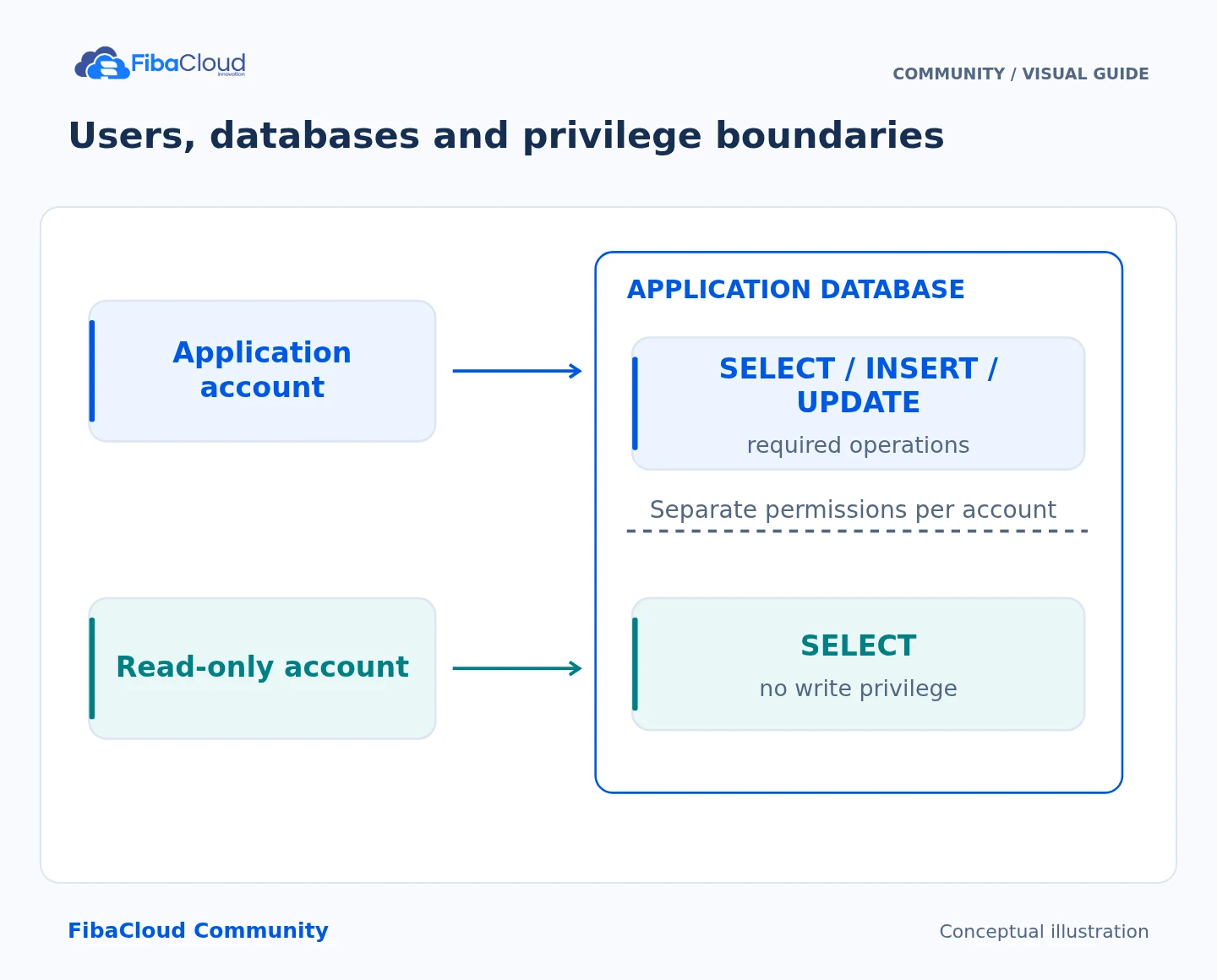
Users, databases and privilege boundaries
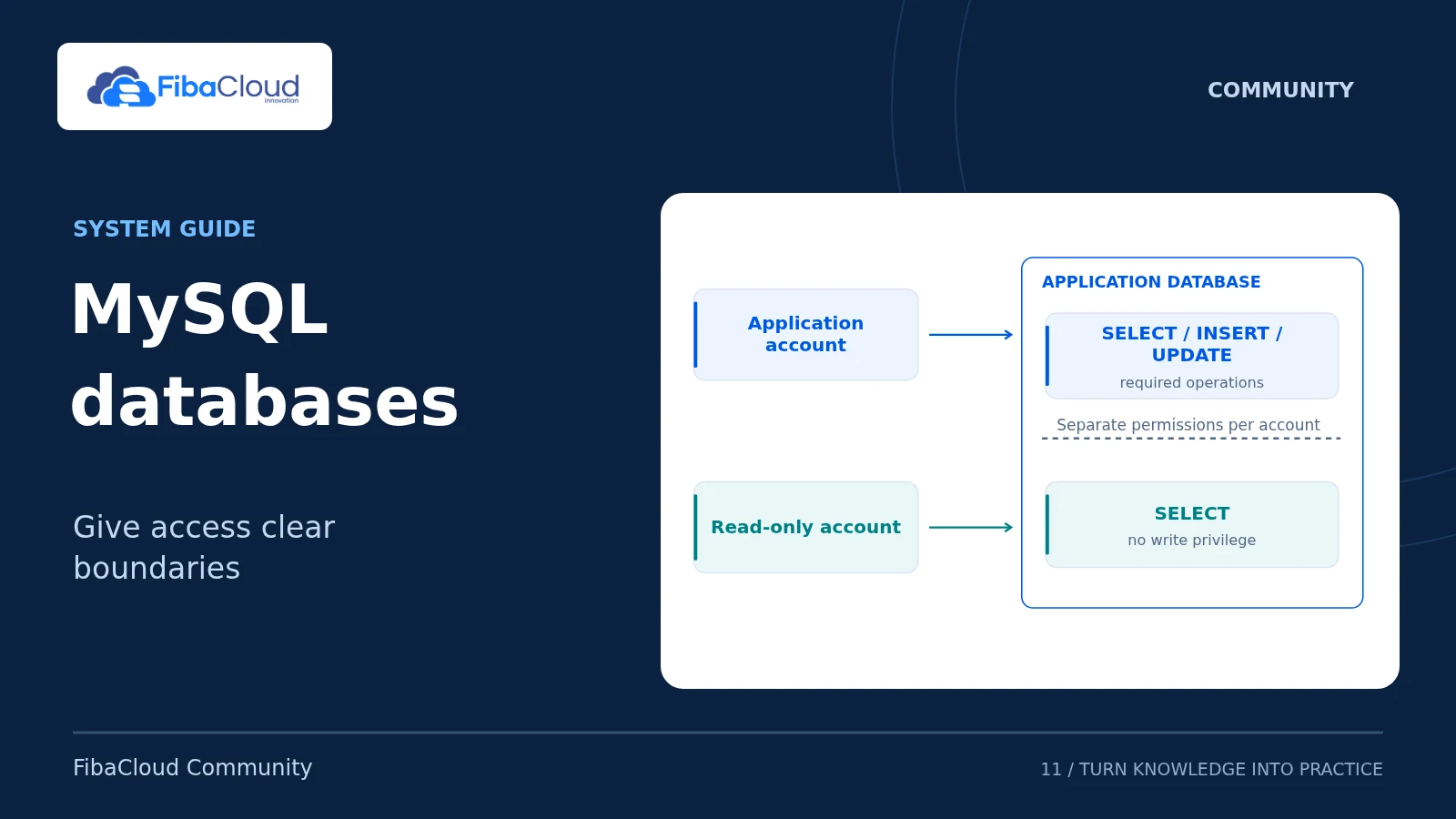
Users, databases and privilege boundaries Limit the application account to the database it needs. Read-only accounts receive no write access; backup-account permissions depend on the backup method.
Step-by-step explanation
  1. Separate: Keep admin and application accounts apart.
  2. Limit: Scope privileges to the relevant database.
  3. Test: Check allowed and denied operations.
  4. Review: Remove permissions that are no longer needed.

Separate administrator and application accounts

You need an authorized administrator account. Your application must not use its password. The names appdb, appdb_restore and fc_app below identify new training resources. Stop if they conflict with an existing database or user. Enter the administrator password interactively with mysql -u root -p, rather than placing it in a command.
SELECT VERSION(), CURRENT_USER();
SHOW DATABASES;
SELECT User, Host FROM mysql.user WHERE User='fc_app';

A cloud server, managed-database offering or HA option does not by itself establish MySQL replication, automatic failover, backups or a particular RPO guarantee. Check the current scope and prices of FibaCloud services; do not assume particular portal or purchase options are prerequisites for these SQL steps.

Create a utf8mb4 schema and sample table

In the administrator session:

CREATE DATABASE appdb
  CHARACTER SET utf8mb4 COLLATE utf8mb4_0900_ai_ci;
CREATE TABLE appdb.tasks (
  id BIGINT UNSIGNED PRIMARY KEY AUTO_INCREMENT,
  title VARCHAR(200) NOT NULL,
  done BOOLEAN NOT NULL DEFAULT FALSE
) ENGINE=InnoDB;
CREATE USER 'fc_app'@'localhost' IDENTIFIED BY RANDOM PASSWORD;
GRANT SELECT, INSERT, UPDATE, DELETE ON appdb.* TO 'fc_app'@'localhost';
SHOW GRANTS FOR 'fc_app'@'localhost';

Store the generated password securely. This user can read/change data only within appdb; it cannot create accounts or change table structure. The application does not need GRANT ALL ON *.* or WITH GRANT OPTION. Use a separate, narrowly scoped account for schema migrations.

Read actual data and roll back a transaction

Connect from another terminal as the application account:

mysql --protocol=SOCKET --default-character-set=utf8mb4 -u fc_app -p appdb
INSERT INTO tasks(title) VALUES
  ('İstanbul yedeği 🚀'), ('Verify restore');
SELECT id, title, done FROM tasks ORDER BY id;
START TRANSACTION;
SELECT id, title, done FROM tasks WHERE id=1 FOR UPDATE;
UPDATE tasks SET done=TRUE WHERE id=1;
SELECT ROW_COUNT();
SELECT id, title, done FROM tasks WHERE id=1;
ROLLBACK;
SELECT id, title, done FROM tasks WHERE id=1;

The update should affect one row; after ROLLBACK, done must be 0 again. In a real operation, deliberately choose COMMIT only after verifying the target rows and affected count. This transaction example uses InnoDB; do not confuse it with the implicit-commit behavior of DDL statements. Before a DELETE, also SELECT using the same WHERE condition. Do not experiment with unrestricted deletion on production data.

Prove that the privilege boundary works

In the application session, CREATE TABLE permission_probe(id INT); must fail with a privilege error. Access to another schema and an attempt to CREATE USER should also be denied. Check that an incorrect password is rejected. These expected denials are acceptance tests for the access model.

Local socket connections do not need TLS configuration. For network access, verify the server’s TLS certificate and allow only the necessary private-network/source addresses. Installing phpMyAdmin is outside this guide: its official security guidance requires HTTPS, restricted access and an update plan.

Restore a backup into a separate database

In the administrator shell, create a private backup directory. Check that the following destination will not overwrite an existing backup. Scheduled jobs should use unique, timestamped filenames.

umask 077
backup_dir="$HOME/fc-backups"
install -d -m 700 "$backup_dir"
mysqldump -u root -p --single-transaction --routines --events --triggers \
  --set-gtid-purged=OFF --no-tablespaces appdb > "$backup_dir/appdb.sql"

Confirm a successful exit and a nonempty file. For this InnoDB example, --single-transaction obtains a consistent data snapshot; do not run DDL during the dump. It is not sufficient by itself for nontransactional tables. This example omits --databases so that the dump can be loaded into a separate destination.

Create that destination in the administrator MySQL session:

CREATE DATABASE appdb_restore
  CHARACTER SET utf8mb4 COLLATE utf8mb4_0900_ai_ci;
mysql -u root -p appdb_restore < "$backup_dir/appdb.sql"
SELECT * FROM appdb.tasks ORDER BY id;
SELECT * FROM appdb_restore.tasks ORDER BY id;

Both rows, their titles and done values must match. A real application also needs checks for indexes, triggers, routines, events, application behavior and privilege dependencies. The dump does not contain user/grant records; retain those securely and separately. Never overwrite the source database for a restore exercise. A backup left on the same server is not a disaster-recovery plan: retain an independently protected copy and prepare a daily backup plan.

Troubleshooting and cleanup

For Access denied, check the password, User@Host, connection protocol and SHOW GRANTS together; do not grant global access. For Unknown database, verify the destination name. Investigate a failed restoration in the test destination instead of modifying live data. Remove training resources only after checking their names, backup and dependencies; this guide does not run automatic DROP cleanup.

Sources

Technical content and sources reviewed on October 4, 2026. Recheck the relevant official documentation when a version or provider changes.

Leave a Reply

Your email address will not be published. Required fields are marked *